logo

AI Automation

n8n Workflow Samples
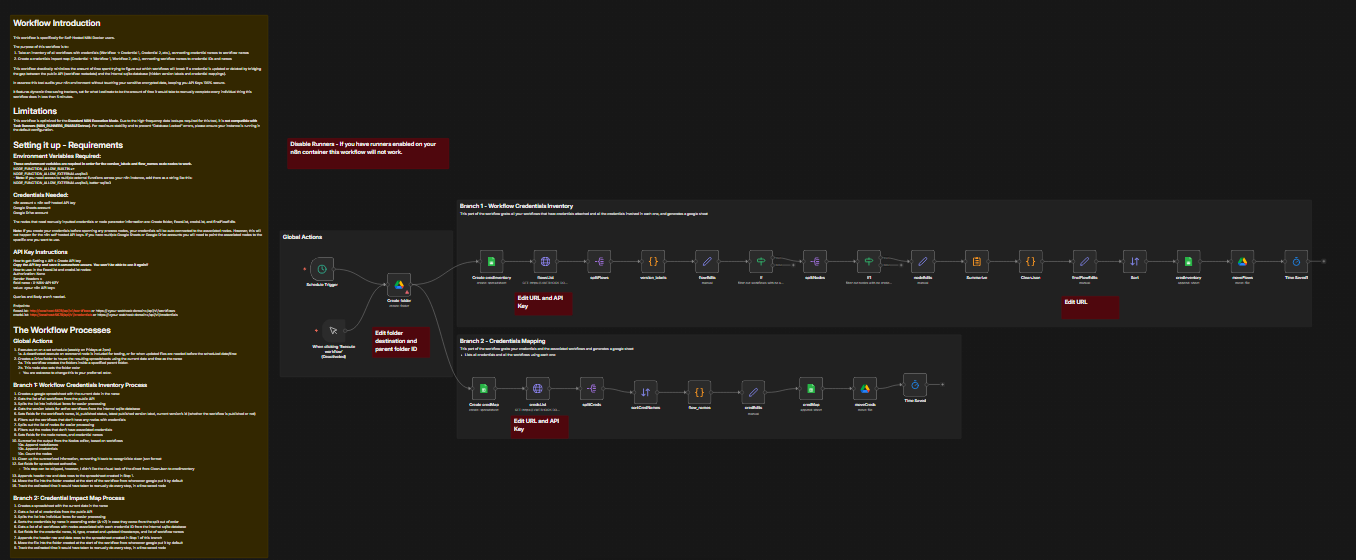
Workflow Credentials Auditor

This workflow is specifically for Self-Hosted N8N Docker users.

    The purpose of this workflow is to:
  1. Take an inventory of all workflows with credentials (Workflow -> Credential 1, Credential 2, etc.), connecting credential names to workflow names
  2. Create a credentials impact map (Credential -> Workflow 1, Workflow 2, etc.), connecting workflow names to credential IDs and names

This workflow drastically minimizes the amount of time spent trying to figure out which workflows will break if a credential is updated or deleted by bridging the gap between the public API (workflow metadata) and the internal sqlite database (hidden version labels and credential mappings).

In essence this tool audits your n8n environment without touching your sensitive encrypted data, keeping you API Keys 100% secure.

Main Requirements: N8N Self-Hosted Account, Google Account (Google Sheets, Google Drive)

Learn More: n8n json
Invoice Creator

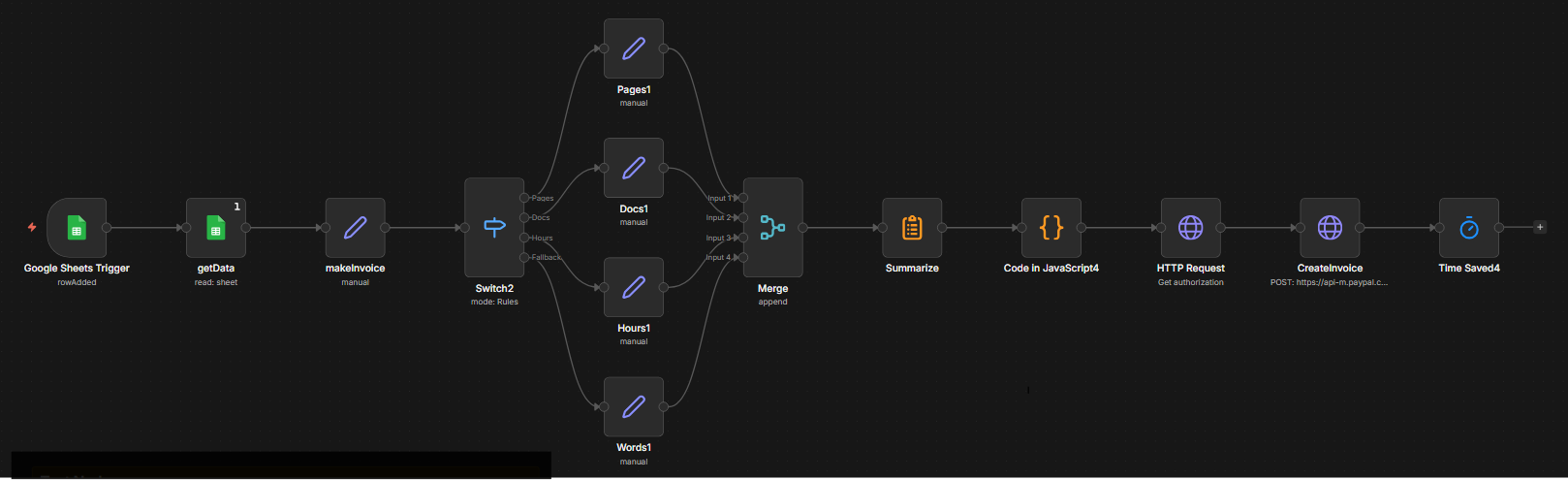
This workflow was created to automatically generate PayPal invoices when a specified Google Sheet is updated.

Main Requirements: N8N Cloud or Self-Hosted Account, Google Account/Google Sheet Trigger Account, Paypal Business Account

Download: n8n json
Error Handler

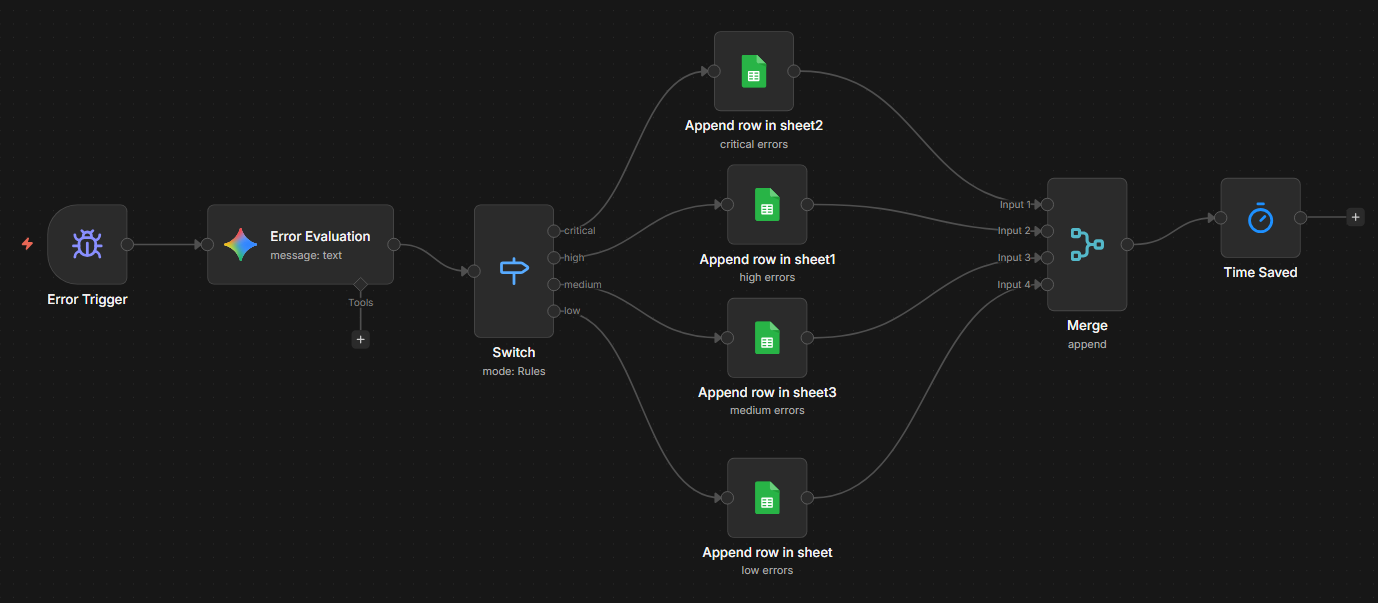
With n8n it's recommended that automators have some way of monitoring errors and evaluating them. This particular error handler use Google Gemini to evaluate errors and report to a specified Google sheet the error, erroring workflow, erroring node, time, and severity of the error. It also cleans up the error log everytime an error occurs.

Main Requirements: N8N Cloud or Self-Hosted Account, Google Account

Download: n8n json
Error Log Purger

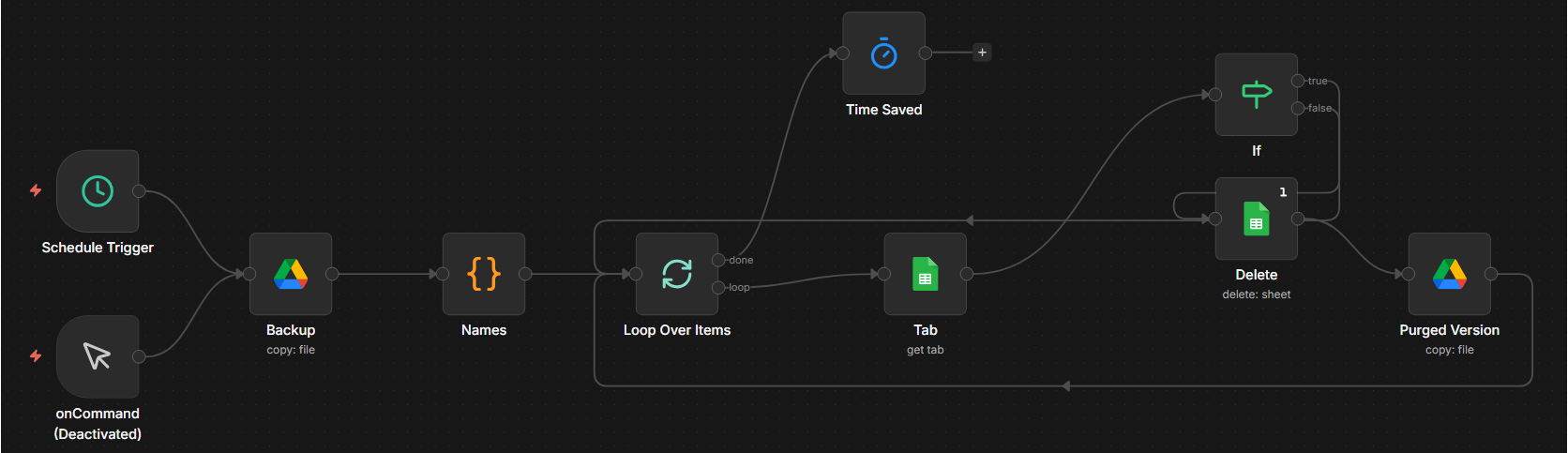
As mentioned earlier, n8n recommends that creators have some way of monitoring errors. However, log files can quickly get out of hand if errors are occuring frequently. This workflow backs up the current error log, and when the the record count reaches 1001 it deletes rows 2-997. This process keeps the main log at a reasonable size, while also making sure that a history of the log is kept in case of emergencies, or historical research.

Main Requirements: N8N Cloud or Self-Hosted Account, Google Account (Google Sheets, Google Drive)

Download: n8n json
Basic Table Booking

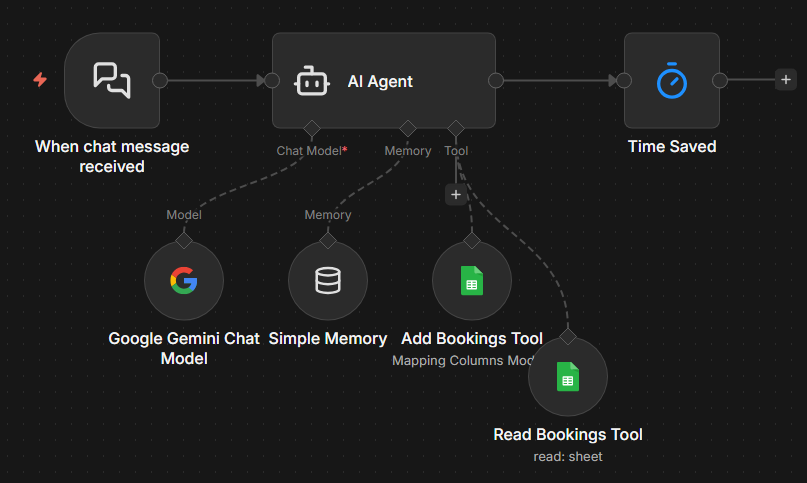
I created this as part of an AI Automations training course. It uses Google Gemini for interacting with customers and booking tables. The basic flow is: Custoemr initiates a chat > Gemini gives a return greeting and ask for the information required to book a table > Gemini checks what's already been booked to avoid double booking tables > Gemini informs the cutomer if the booking is available OR tells the customer the opening is unavailable and to pick another time on the same day, or another day entirely. In it is currently in self-hosted chat mode, however, I can switch to switch to embedded chat mode for websites

Main Requirements: N8N Cloud or Self-Hosted Account, Google Account, if embedding, a website

Download: n8n json
Record Sheet Updater

This workflow is triggered when a specified locally stored Excel file that is linked to Google Drive is updated. The workflow extracts tha data from the drive file and adds it to a specified Google sheet, matching rows based on a specified condition.

Main Requirements: N8N Cloud or Self-Hosted Account, Google Account, Google Drive to PC connection

Download: n8n json

Web Projects

Rosie and Rudi

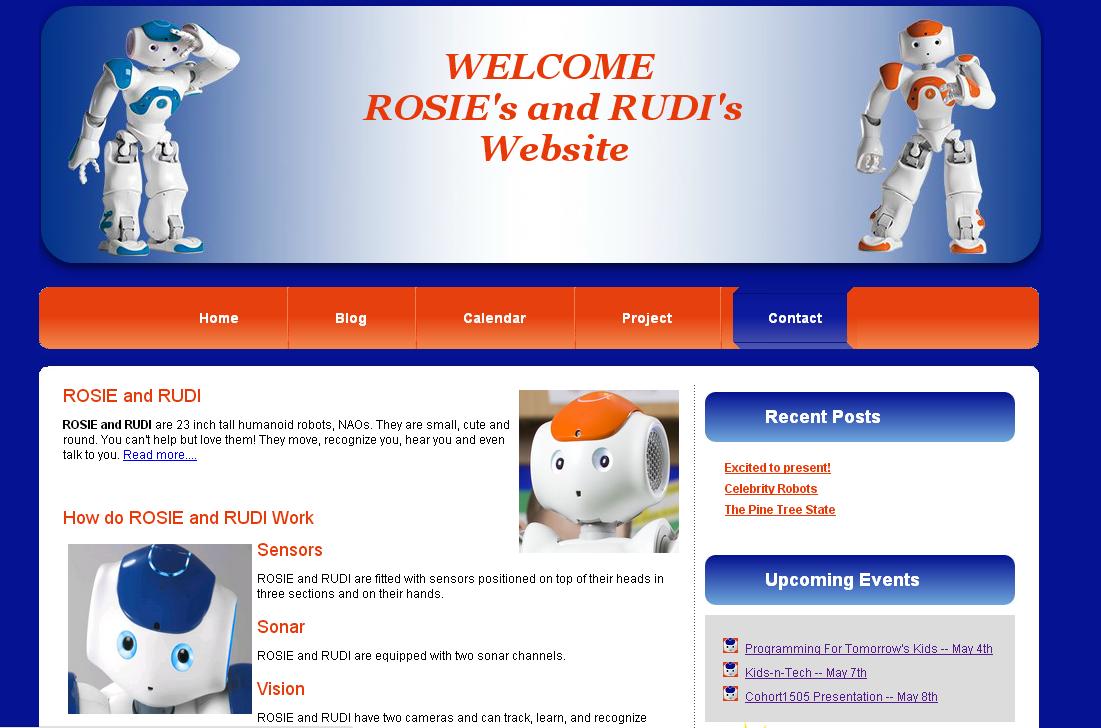
As part of the iStar IT Specialist certification program I was able to participate in the creation of a static website (rosieandrudi.com) for the program's robots Rosie and Rudi.

Note: Website is no longer available.

Web Design Templates

Blue Developer

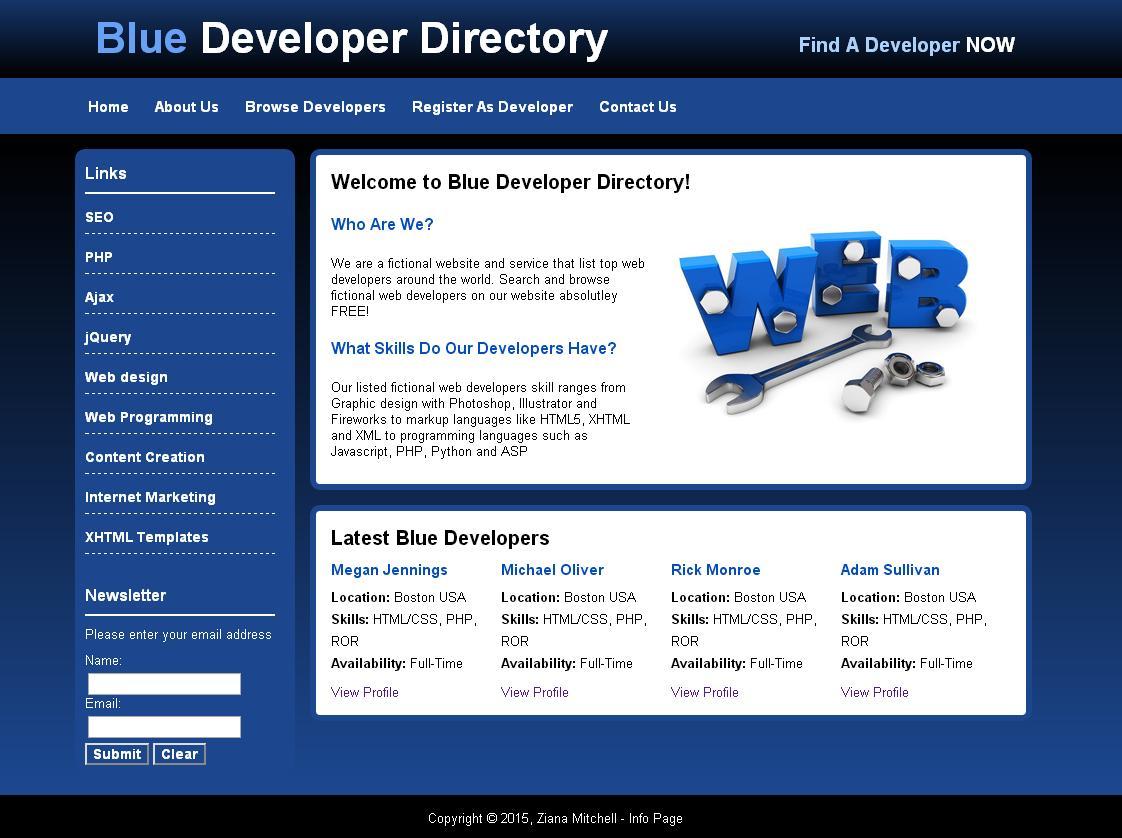
This static prototype is compatible with Chrome, Firefox, and Safari

Note: Website is no longer available.

Daily Planner

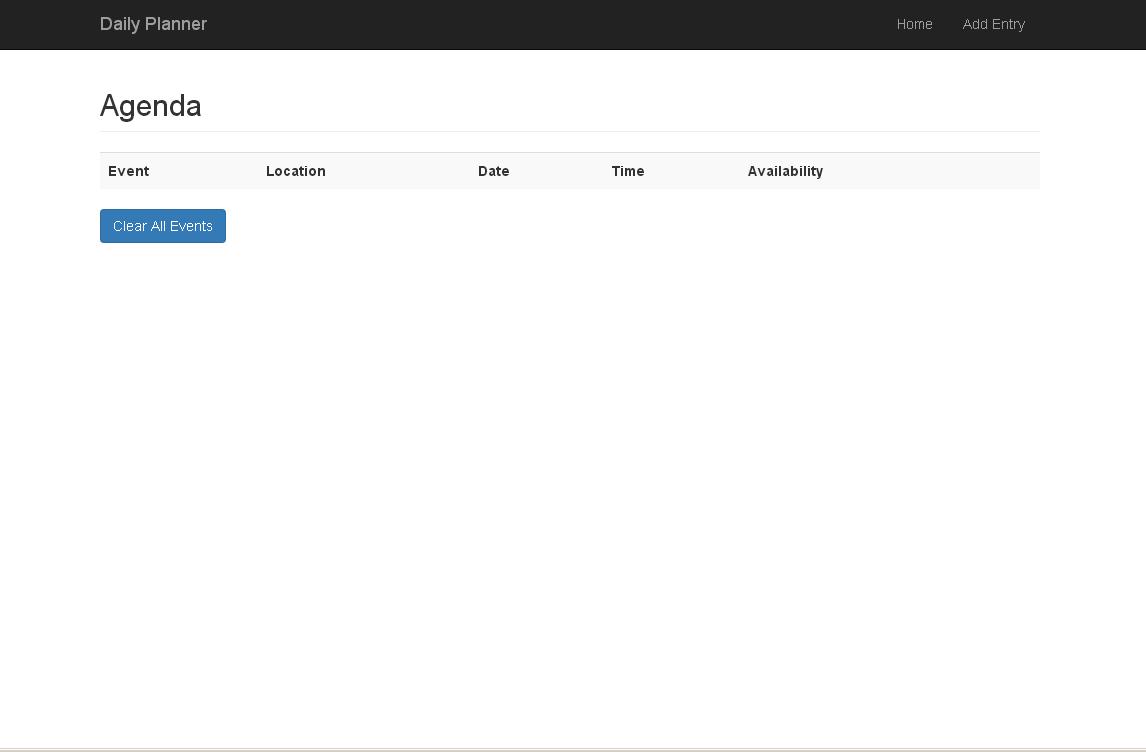
When events are added they are automatically sorted by the event's date. This dynamic prototype is compatible with Chrome, Firefox, and Safari. This site, although compatible with IE7+ the navigation bar changes to the mobile version.

Note: Website is no longer available.

Green Portfolio

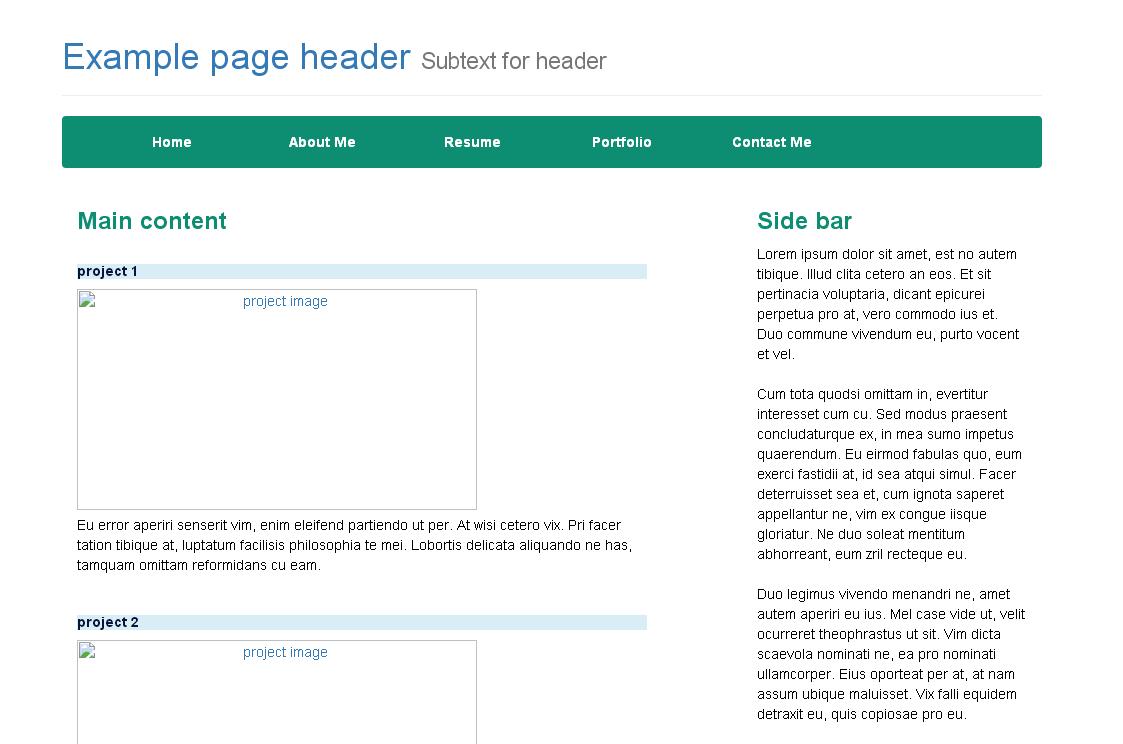
This dynamic prototype is compatible with Chrome, Firefox, and Safari. This site, although compatible with IE7+ the navigation bar changes to the mobile version. This site dynamically adapts it's self to the screen it is being viewed on.

Note: Website is no longer available.

AI Automation

n8n Workflow Samples

Workflow Credentials Auditor

This workflow is specifically for Self-Hosted N8N Docker users.

    The purpose of this workflow is to:
  1. Take an inventory of all workflows with credentials (Workflow -> Credential 1, Credential 2, etc.), connecting credential names to workflow names
  2. Create a credentials impact map (Credential -> Workflow 1, Workflow 2, etc.), connecting workflow names to credential IDs and names

This workflow drastically minimizes the amount of time spent trying to figure out which workflows will break if a credential is updated or deleted by bridging the gap between the public API (workflow metadata) and the internal sqlite database (hidden version labels and credential mappings).

In essence this tool audits your n8n environment without touching your sensitive encrypted data, keeping you API Keys 100% secure.

Main Requirements: N8N Self-Hosted Account, Google Account (Google Sheets, Google Drive)

Learn More: n8n json
Invoice Creator

This workflow was created to automatically generate PayPal invoices when a specified Google Sheet is updated.

Main Requirements: N8N Cloud or Self-Hosted Account, Google Account/Google Sheet Trigger Account, Paypal Business Account

Download: n8n json
Error Handler

With n8n it's recommended that automators have some way of monitoring errors and evaluating them. This particular error handler use Google Gemini to evaluate errors and report to a specified Google sheet the error, erroring workflow, erroring node, time, and severity of the error. It also cleans up the error log evertime an error occurs.

Main Requirements: N8N Cloud or Self-Hosted Account, Google Account

Download: n8n json
Error Log Purger

As mentioned earlier, n8n recommends that creators have some way of monitoring errors. However, log files can quickly get out of hand if errors are occuring frequently. This workflow backs up the current error log, and when the the record count reaches 1001 it deletes rows 2-997. This process keeps the main log at a reasonable size, while also making sure that a history of the log is kept in case of emergencies, or historical research.

Main Requirements: N8N Cloud or Self-Hosted Account, Google Account (Google Sheets, Google Drive)

Download: n8n json
Basic Table Booking

I created this as part of an AI Automations training course. It uses Google Gemini for interacting with customers and booking tables. The basic flow is: Custoemr initiates a chat > Gemini gives a return greeting and ask for the information required to book a table > Gemini checks what's already been booked to avoid double booking tables > Gemini informs the cutomer if the booking is available OR tells the customer the opening is unavailable and to pick another time on the same day, or another day entirely. In it is currently in self-hosted chat mode, however, I can switch to switch to embedded chat mode for websites

Main Requirements: N8N Cloud or Self-Hosted Account, Google Account, if embedding, a website

Download: n8n json
Record Sheet Updater

This workflow is triggered when a specified locally stored Excel file that is linked to Google Drive is updated. The workflow extracts tha data from the drive file and adds it to a specified Google sheet, matching rows based on a specified condition.

Main Requirements: N8N Cloud or Self-Hosted Account, Google Account, Google Drive to PC connection

Download: n8n json

Web Projects

Rosie and Rudi

As part of the iStar IT Specialist certification program I was able to participate in the creation of a static website (rosieandrudi.com) for the program's robots Rosie and Rudi.

Note: Website is no longer available.


Web Design Templates

Blue Developer

This static prototype is compatible with Chrome, Firefox, and Safari

Note: Website is no longer available.

Daily Planner

When events are added they are automatically sorted by the event's date. This dynamic prototype is compatible with Chrome, Firefox, and Safari. This site, although compatible with IE7+ the navigation bar changes to the mobile version.

Note: Website is no longer available.

Green Portfolio

This dynamic prototype is compatible with Chrome, Firefox, and Safari. This site, although compatible with IE7+ the navigation bar changes to the mobile version. This site dynamically adapts it's self to the screen it is being viewed on.

Note: Website is no longer available.


Home | About | Resume |Services | Portfolio | Contact Me

Privacy Policy | Terms and Conditions | Sitemap
© Copyright 2015, ZM Global IT All Rights Reserved v4.0